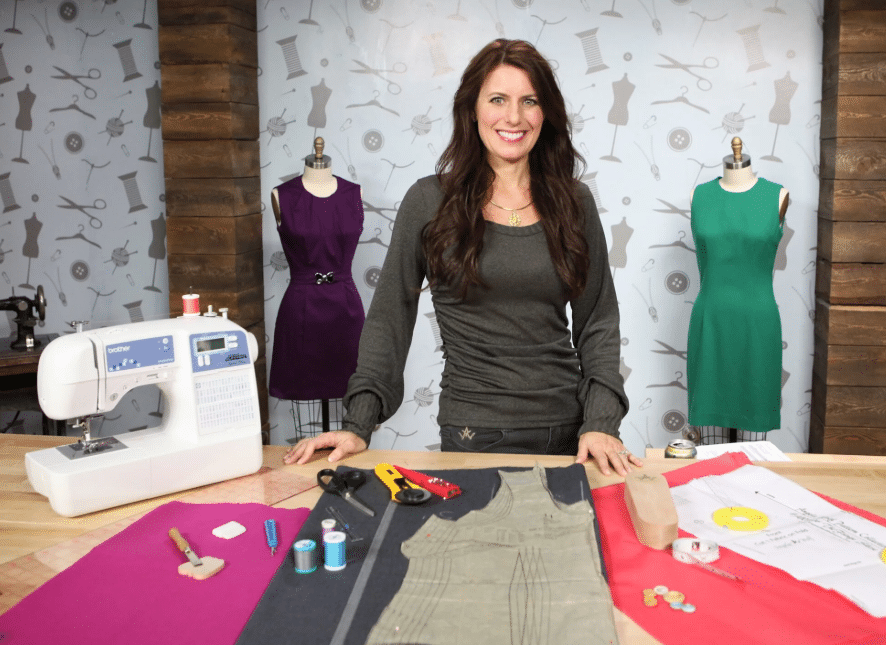
EP 542 At Your Side Virtually! 🍁 Thanksgiving Home DĂ©cor with PrintModa | Angela Wolf & Tina Bartelmay

EP 542 At Your Side Virtually! 🍁 Thanksgiving Home DĂ©cor with PrintModa | Angela Wolf & Tina Bartelmay

Episode 542: At Your Side Virtually! Join Brother Brand Ambassador Angela Wolf and Educator Tina Bartelmay

Thanksgiving Wreath with PrintModa
This is a quick and easy holiday project that you can use as a table topper with a candle or
even hang it on the door or wall. PrintModa gives you the added flexibility of theming it to
your holiday ideas.
Printing PrintModa Fabric:
I used a directional pattern, which required more fabric. I printed out a fabric piece that
was 11.69” X 48”, and had a small amount left over. If you do not use a directional print,
you should be able to get 12 4” squares from PrintModa fabric that is 11.69” X 26”.
Supplies:
 Back Fabric: Cut 6” squares – need 12 of them
 Front Fabric: Cut 6” squares – need 12 of them
 Fusible Fleece: Cut 5.5” squares – need 12 of them
 PrintModa Fabric: Cut 4” squares – need 12 of them – remember to cut on the
diagonal if you are using a directional print
 Iron-On Fusible: Cut 4 “squares – need 12 of them

Assembly:
1. Print your holiday accent fabric using PrintModa.

2. Fuse fleece to the wrong side of the back fabric squares, taking care to center in
each square.

3. Place front and back squares RST and sew around all four sides with a Œ” seam –
this should be right along the outside edge of the fusible fleece.

4. Cut an X in the center of the front fabric, approximately 1.5”. Reach inside of each
square and turn them right sides out through the X. Use a point turner to fully turn out the corners and press.

5. Remove the carrier sheet from the back sides of the precut PrintModa fabric
squares and then fuse the iron-on fusible to the back of each one.

6. Center the PrintModa squares on top of the previously assembled squares, taking
care to fully cover the X.

7. Fuse the PrintModa fabric squares with the iron.

8. For each assembled square, use a decorative stitch to secure the PrintModa
applique piece. (I used a blanket stitch).

9. Mark each finished square as outlined below:

a. Make a mark 5/8” on either side of the top left corner

b. Make a mark 2.75” on either side of the bottom right corner

c. You may want to mark a line with an erasable marker between the two points
as your sewing guide for step 9

d. Note – if you are using a directional print – the print should run between the 2
corners listed directly above.10. Place 2 squares WST and sew between the marks listed above, following your
marked line if applicable.

11.Continue until all 12 squares have been sewn together.

12.Match up the remaining 2 corners of each square and join them as desired. You can hand stitch them together, add a decorative button, or I used a rivet to join them.

Enjoy your Thanksgiving wreath!

Watch on Brothersews Facebook or YouTube channels


Be sure to sign up for my newsletter to stay up to date on new shows, events, and tutorials!

Cheers,


Fashion Designer, Entrepreneur, and Brother Brand Ambassador

EP 542 At Your Side Virtually! 🍁 Thanksgiving Home DĂ©cor with PrintModa | Angela Wolf & Tina Bartelmay

EP 456: At Your Side Virtually!

Episode 456: At Your Side Virtually! Join Brother Brand Ambassador Angela Wolf and Brother Educators Kathy Stipe and Sara Vetser in designing Halloween Bags using Artspira, ScanNCut, Print Moda, Sublimation, and more!


Watch on Brothersews Facebook or YouTube channels

Be sure to sign up for my newsletter to stay up to date on new shows, events, and tutorials!

Cheers,


Fashion Designer, Entrepreneur, and Brother Brand Ambassador

EP 542 At Your Side Virtually! 🍁 Thanksgiving Home DĂ©cor with PrintModa | Angela Wolf & Tina Bartelmay

EP 429: At Your Side Virtually!

Episode 429 ~ At Your Side Virtually

Episode 429: At Your Side Virtually! Join Brother Brand Ambassador Angela Wolf and Brother Educator Cathy Gandy creating gifts for Mother’s Day. Use Artspira to find a beautiful design that will work with sublimation printing and ScanNCut! Make a beautiful card, sew a rolled hem on coordinating napkins, and other great gift ideas!

Watch on Brothersews Facebook or YouTube channels

Be sure to sign up for my newsletter to stay up to date on new shows, events, and tutorials!

Cheers,


 Fashion Designer, Entrepreneur, and Brother Brand Ambassador

EP 542 At Your Side Virtually! 🍁 Thanksgiving Home DĂ©cor with PrintModa | Angela Wolf & Tina Bartelmay

EP 427: At Your Side Virtually!

Episode 427 ~ At Your Side Virtually

Episode 407: At Your Side Virtually! Join Brother Brand Ambassador Angela Wolf and Brother Educator Sara Vetser with an eye glass project and more photo fabric with print moda.

Watch on Brothersews Facebook or YouTube channels

Be sure to sign up for my newsletter to stay up to date on new shows, events, and tutorials!

Cheers,


 Fashion Designer, Entrepreneur, and Brother Brand Ambassador

EP 542 At Your Side Virtually! 🍁 Thanksgiving Home DĂ©cor with PrintModa | Angela Wolf & Tina Bartelmay

EP 419: At Your Side Virtually!

Episode 419 ~ At Your Side Virtually

Episode 419: At Your Side Virtually! Join Brother Brand Ambassador Angela Wolf and Brother Educator Kathy Stipe ~ Create custom fabrics with the Brother Print Moda then creating pillows and other home decor for spring.

Watch on Brothersews Facebook or YouTube channels

Be sure to sign up for my newsletter to stay up to date on new shows, events, and tutorials!

Cheers,


 Fashion Designer, Entrepreneur, and Brother Brand Ambassador

Pin It on Pinterest